

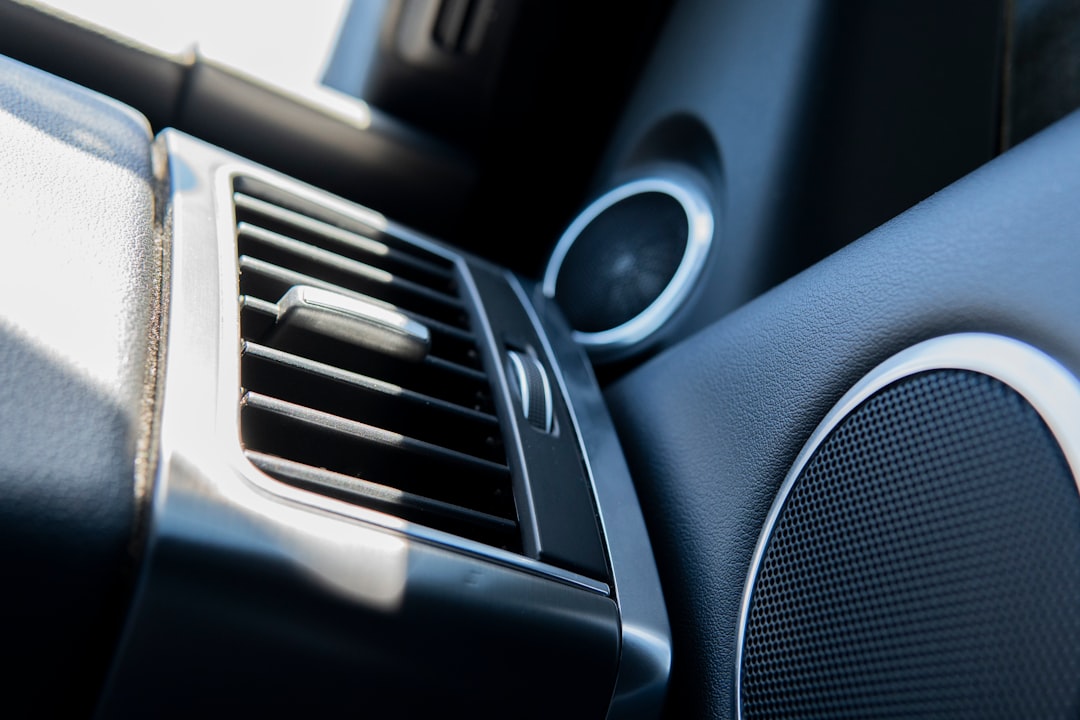
When Your Car Goes Quiet: A No-Stress Guide to Car Stereo Problems
The most common car stereo problems — and their quickest fixes — at a glance:
| Problem | Most Likely Cause | Quick Fix |
|---|---|---|
| Stereo won’t turn on | Blown fuse or dead battery | Check and replace the fuse |
| No sound, but display works | Faulty amplifier or muted settings | Check amp fuse, check volume/mute |
| Static or poor reception | Loose or damaged antenna | Reseat the antenna connection |
| Bluetooth won’t connect | Too many saved devices or outdated firmware | Clear pairings, update firmware |
| CD skipping or not reading | Dirty lens or damaged disc | Clean lens, try a different disc |
| Stereo keeps shutting off | Loose wiring or protection mode | Check ground and power connections |
| Distorted sound | Blown speaker or wrong EQ settings | Inspect speakers, reset EQ |
Car stereo problems are more common than most drivers realize. They are far less mysterious once you know where to look. That moment when you start the car and hear nothing is frustrating. It is especially tough when you are traveling with kids.
Here is the good news: over 70% of “dead” car radios are actually just fuse or wiring issues. Most problems have a straightforward fix you can try yourself. This guide walks you through the most common car audio issues in plain language. You do not need an engineering degree.
I’m William Dickinson, webmaster for Bob’s Lil Car Hospital. My two decades of experience helping people navigate complex problems shapes everything we publish here. Let’s get your sound back.
Learn more about car stereo problems:
Why Your Car Stereo Won’t Turn On

When your dashboard remains dark, the culprit is usually a lack of power. We often see this after a sudden electrical surge. Think of a fuse as a tiny bodyguard for your radio. It sacrifices itself to protect your head unit from high voltage. If your stereo won’t turn on, start at the fuse box.
Most vehicles have two fuses for the radio. One sits in the main cabin fuse panel. The other often hides under the hood. Consult your owner’s manual to find the exact locations. A blown fuse will have a broken metal wire inside or look charred. Replacing a fuse is a simple fix.
Sometimes, the issue stems from broader Car Electrical Issues. If your battery is weak, the car might prioritize the engine over the radio. We recommend checking your battery terminals for corrosion. A loose wire in the harness behind the radio can also cause intermittent power loss.
If you recently performed a jumpstart, a voltage spike might have occurred. This is a common way to blow a radio fuse. For more details on safe battery practices, see our guide on Jumpstarting Your Car. If the fuse is fine but the radio is dead, you may need a multimeter. This tool tests if power is actually reaching the unit. You are looking for a steady 12-volt reading.
For a deeper dive into these power failures, read Why Your Car Radio Isn’t Working and How to Fix It. We find that checking the basics first saves the most time. A simple reset often solves the mystery.
Solving Sound Quality and Signal Issues
Static is the enemy of a good road trip. If you hear a buzzing sound that changes with your engine speed, you likely have a grounding issue. The ground wire must connect to clean, bare metal. If it’s loose or rusted, you’ll hear electrical noise through your speakers. This is why Why Auto Electrical Diagnostics Are Crucial for clear sound.
Poor radio reception is almost always an antenna problem. In fact, checking the antenna connection fixes 90% of reception issues. Inspect the antenna mast for bends or breaks. If you have an internal antenna (the wires on your rear window), check for scratches. A tiny break in those lines can kill your signal.
Speaker polarity is another hidden issue. If you installed new speakers and the bass sounds “thin,” they might be out of phase. This means the positive and negative wires are swapped on one speaker. They end up canceling each other out. We always double-check these connections during any installation.
Loose connections behind the dash can cause sound to cut out over bumps. We see this often in Southwest Washington, where our backroads can be a bit rugged. For more tips on fixing these audio gremlins, see Common Car Stereo Problems: 5 Issues + Easy Fixes (2026). Sometimes, a simple tightening of a screw is all it takes.
Troubleshooting car stereo problems with Bluetooth and CDs
Bluetooth issues are often just a “memory” problem. Most car stereos can only remember a certain number of devices. If the list is full, new connections will fail. Try “forgetting” all old phones and starting fresh. This simple step resolves the vast majority of pairing glitches.
Firmware updates are also important for modern cars. Your phone’s software updates constantly, but your car might be stuck in the past. Check the manufacturer’s website for any available updates. You can often install these via a USB drive. This is a key part of Troubleshooting Common Electrical Issues in newer vehicles.
If your CD player is skipping, it might just be dirty. Dust can settle on the laser lens over time. A specialized lens-cleaning disc can work wonders. If the player won’t read discs at all, ensure they aren’t scratched or dirty. We recommend using a soft microfiber cloth for cleaning.
Software resets can also fix “frozen” screens. If your touchscreen is unresponsive, try a hard restart. This usually involves holding a combination of buttons, like Power and Seek. Consult your manual for the specific “handshake” your car requires. Keeping your devices close during pairing also helps maintain a strong signal.
When Your System Enters Protection Mode
“Protection mode” is your stereo’s way of saying, “I’m in danger.” It usually happens to prevent permanent damage. The most common cause is overheating. If you play music at max volume for too long, the internal components get hot. The system shuts down to cool off.
Short circuits are another major trigger. If a speaker wire touches the car’s metal frame, it creates a short. The stereo senses this and cuts power immediately. This protects the internal amplifier from frying. We often see this when wires get pinched in door hinges.
| Feature | Soft Reset | Hard Reset |
|---|---|---|
| Action | Restarting the software | Restoring factory settings |
| Data | Keeps your presets | Erases all saved data |
| Fixes | Minor glitches/freezes | Major system errors |
| Method | Hold power button | Menu option or battery pull |
Sometimes, the issue is more complex, involving Fixing Your Car’s Computer: ECM/ECU Repair. Modern infotainment systems are deeply integrated with the car’s computer. A fault in one can affect the other. We suggest checking for proper ventilation around your amplifier if you have an aftermarket system.
If your stereo enters protection mode, don’t just turn it back on. Find the cause first. Check all speaker wires for frays or loose strands. If the unit feels hot to the touch, give it a break. For more diagnostic steps, read our Guide to Diagnosing Car Problems. It helps to narrow down if the problem is the radio or the wiring.
Maintenance Tips to Prevent Future car stereo problems
Prevention is always better than a repair. We recommend keeping your dashboard clean and dry. Dust can seep into buttons and cause them to stick. Moisture is even worse. It can corrode delicate circuit boards over time. Use a dry microfiber cloth for the screen and a gentle vacuum for the vents.
Regularly check your Top 5 Maintenance Tips to keep the whole car healthy. This includes cleaning your battery terminals. A stable power supply is vital for electronics. If your battery is struggling, your radio will be the first to act up.
Software checks are part of modern car ownership. Check for infotainment updates every six months. These updates often fix bugs that cause Bluetooth drops or screen freezes. Being proactive about Maintaining Your Car ensures your entertainment system lasts as long as your engine.
Be gentle with your connections. Don’t yank on USB or AUX cables. This can damage the internal ports, which are very difficult to fix. If you live in a humid area like Rainier or Kalama, consider using a sunshade. This keeps the interior temperature down and protects the LCD screen from “sun-bleach” or heat damage.
Frequently Asked Questions about Car Audio
Is it better to repair or replace a broken car radio?
This depends on the age of the unit. If a simple fuse or wire fix works, repair is the way to go. However, if the internal motherboard is dead, replacement is often smarter. New stereos offer better features like Apple CarPlay or Android Auto.
If the repair is extensive, an upgrade is often the better choice. You can see the range of Our Services to help you decide. Factory radios fit the dash perfectly and keep your car’s original look.
How do I perform a factory reset on my infotainment system?
A factory reset is the “nuclear option” for software glitches. It will erase your presets, paired phones, and navigation history. You can usually find this option in the “Settings” or “System” menu. Look for “Restore Factory Defaults.”
If the screen is frozen, try a soft reset first. Hold the power button for 10-15 seconds. If that fails, check our Blog for specific model tips. A reset resolves many infotainment glitches. It’s the first thing we try when a screen acts weird.
Why does my car stereo sound distorted at high volumes?
Distortion usually means your speakers are being pushed too hard. It could also mean they are “blown.” A blown speaker has a torn cone that rattles when it moves. You’ll hear a fuzzy or crackling sound, especially during bass-heavy songs.
Check your equalizer (EQ) settings first. If the bass is turned all the way up, it can cause distortion even at lower volumes. We provide Quality Automotive Repairs to help identify if you need new speakers or just a settings adjustment. Sometimes, the amplifier isn’t getting enough power, which causes the sound to “clip” or distort.
Conclusion
At Bob’s Lil Car Hospital, we know that car stereo problems are a major headache. Our goal is to turn that stressful silence into a pleasant driving experience once again. Whether you are in Longview, Kelso, or Castle Rock, we are here to help.
We pride ourselves on genuine care and professional diagnostics. You don’t have to navigate these electrical mysteries alone. Our team treats every car like it’s our own. We want you to enjoy every mile of your commute with your favorite music playing clearly.
If your troubleshooting hasn’t solved the issue, don’t worry. You can always visit our Homepage to see how we can help. Call us today and ask any questions you might have. Let’s get your car’s heart beating again.